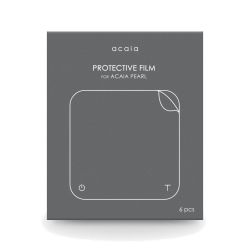

| Brand | Unbranded |
| Manufacturer | Acaia |
| Model Number | AA003 |
The Acaia Pearl may be your prized possession, so no doubt you want to keep it looking like new. Wear and tear can make that difficult, but these PVC protective films can help. Easily installed, they are just 0.11mm thick and transparent, and won't interfere with the use of your Acaia Pearl. Acaia PearlProtective Film features Includes 1x protective film inside the package Custom designed for the Acaia Pearl Easy to install Transparent Does not affect touch-button responsiveness Self-adhesive coated How to apply the Acaia Pearl Protective Film Step 1 Clean the weighing platform, ensuring that no dust or dirt remains on the surface.
Step 2 Peel back the label marked STEP 1. Avoid touching the backing so your protective film stays clean and fingerprint-free. Step 3 Align the film to the edge of the weighing platform. Then, while holding it in place, slowly apply the protective film, starting at one edge and moving to the opposite edge.
It helps to use a straight edge (e.g. a credit card) to apply even pressure across the film. Step 4 Carefully peel back the label marked STEP 2. Acaia PearlProtective Film specifications Dimensions: 155mm (W) x 155mm (L) x 0.11mm (H) Material:PVC
 Related Products
Loading similar products...
Stay informed about the best deals and price drops. Choose which notifications you'd like to receive from PriceCheck.


