
| Brand | Autodesk |
| Manufacturer | Autodesk |
| Model Number | DIG-9498 |
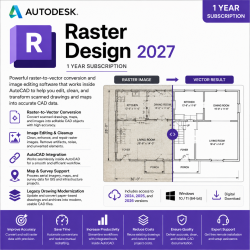
Autodesk Raster Design 2027 1 Year Subscription Autodesk Raster Design 2027 provides specialized raster editing and raster-to-vector conversion tools for professionals working with scanned drawings, maps, aerial imagery, plans, and other raster-based design data. Designed to work alongside compatible Autodesk design applications, Raster Design helps users clean up scanned drawings, edit raster images, convert raster geometry into vector data, and integrate legacy paper-based information into modern CAD workflows.
Whether working with engineering drawings, architectural plans, maps, surveys, or archived technical documents, Raster Design 2027 provides practical tools for transforming raster information into usable digital design data. Previous versions included: Access to Raster Design 2024, 2025, and 2026 is also included with the subscription.
What You Get 1-Year Subscription to Autodesk Raster Design 2027 Access to raster editing and raster-to-vector conversion tools License added directly to your Autodesk account Manage your subscription through Autodesk Account Free remote installation assistance Access to applicable updates and feature enhancements during the subscription period Access to 2024, 2025, 2026, and 2027 versions Key Features Raster-to-Vector Conversion Convert raster-based drawings and scanned information into editable vector geometry for use within CAD workflows.
Raster Image Editing Edit, modify, and manage raster images without having to recreate the original drawing from scratch. Drawing Cleanup Improve scanned technical drawings by removing unwanted raster information and correcting imperfections within legacy documents. Raster Entity Manipulation Select and work with raster lines, arcs, circles, and other recognizable geometry to simplify the process of converting scanned information into usable CAD data.
Image Transformation Adjust raster images to improve their positioning and alignment with existing CAD drawings and project information. Scanned Drawing Conversion Bring archived paper drawings and technical documents into digital workflows by scanning, cleaning, editing, and converting their information.
Raster & CAD Integration Raster Design is designed to help bridge the gap between raster imagery and CAD data. Users can work with raster information while maintaining access to familiar Autodesk CAD workflows, making it easier to incorporate scanned and image-based information into existing projects.
This is particularly useful when projects contain a combination of modern CAD files and older drawings that are only available as scanned images. Included Capabilities Raster Editing: Modify and clean raster-based drawings and images Raster-to-Vector: Convert raster geometry into editable vector information Drawing Cleanup: Remove unwanted elements and improve scanned technical drawings Image Management: Work with raster imagery inside compatible Autodesk workflows Geometry Recognition: Identify raster lines, circles, arcs, and other drawing elements Image Transformation: Adjust and align raster information with CAD geometry Legacy Drawing Conversion: Convert archived paper drawings into usable digital information CAD Integration: Combine raster and vector information within design workflows Ideal for Raster-Based Workflows Autodesk Raster Design can be particularly useful for professionals working with: Scanned engineering drawings Architectural plans Legacy technical drawings Survey information Maps and mapping data Aerial and satellite imagery Infrastructure drawings Archived paper documentation Raster-based CAD information System Requirements Operating System: Windows 10 / Windows 11 (64-bit) Processor: Modern 64-bit multi-core Intel or AMD processor Memory: 16 GB RAM recommended; additional memory may benefit larger raster files Graphics: Compatible graphics hardware suitable for Autodesk CAD applications Storage: SSD recommended with sufficient free space for installation and project files Internet Connection: Required for activation, updates, and applicable online services Compatible Autodes
 Related Products
Loading similar products...
Stay informed about the best deals and price drops. Choose which notifications you'd like to receive from PriceCheck.


