
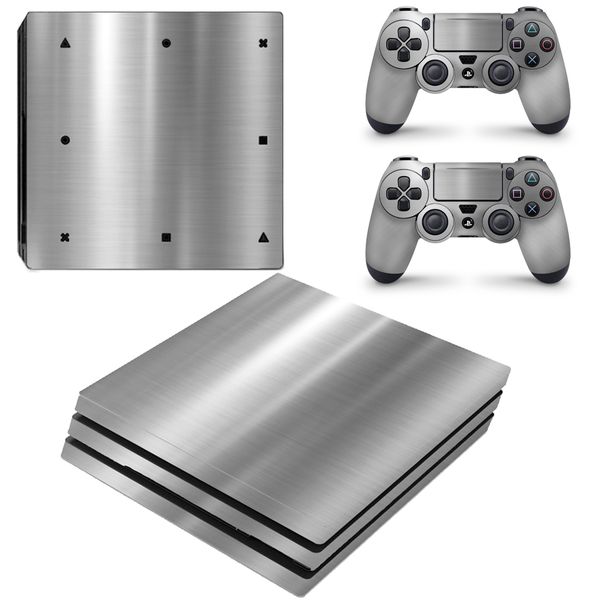
| Brand | Unbranded |
| Manufacturer | Unbranded |
| Model Number | DECAL904P |
NB! There are 3 different versions of the PS4 Console. This PS4 Pro Decal Skin will not fit the PS4 standard (First Edition made console) or the PS4 Slim Console. Please make sure you purchase the correct skin for the type of console you own. If you have any issues with the skin, please contact our support team at SkinNit.
Introducing our new textured Chrome Series decal skins, make your design shine with mirror sharp premium chrome detailing. Our Chrome Series skins are quick and easy to apply. Bring your design to the next level with sharp, eye-popping chrome accents and details. The mirror-like finish of glossy Chrome film creates a distinctive and premium result - perfect for striking accents and special effects.
Key features - Striking Accents. Premium look. Immediate impact. - Excellent 3D conformability on concave and convex shapes including rivets and deep channels - Patented Easy Apply adhesive technology helps eliminate bubbles and wrinkles - Easy to remove, even over the long term This skin will fit the PS4 Pro console and will not fit the PS4 Standard or PS4 Slim console.
Specifications: - Covers complete console & two controllers - Thin and tough protects from minor scratches - Easy, bubble-free installation and sticky free removal - No Cutting required What is a skin? Think of a skin as a kind of Armor for your device. Not only will it protect your device from scratches, but it will also make your device stand out and reflect your personality.
Don't be like the rest of the crowd and own a boring standard device. SkinNit and stand out like never before! Why skin your device with SkinNit? OUR SKINS ARE STRONG SkinNit skins are made from premium vehicle grade vinyl. The same vinyl they use on cars. The Vinyl is then protected with a cold lamination film that comes in a Matt or Gloss finish depending on material availability.
Our skins are super strong will stand the test of time. APPLYING YOUR SKIN SkinNit skins have a special no bubble, no residue adhesive back making them easy to apply. If you can apply a sticker to a sticker book, then you can apply a SkinNit Skin. It's really that simple! Ez Pz (Easy Peazy) REMOVING YOUR SKIN The only reason you would want to do this is so you can change the design of your skin.
We at CC Entertainment can't think of another reason why you would want to remove your awesome skin. But yes, removing your SkinNit skin is simple and we promise no residue will be left behind. SKIN CUT SkinNit skins are super thin and won't cause any damage or overheating to your device. Our Skins are perfectly cut every time to ensure no air-vents, cable inputs or docking stations are affected in any way.
SkinNit Step-By-Step Installation Guide: 1. Prep your worktable: You need a flat area. Make sure it's clean. Avoid any dust, stray hairs and food from last night's dinner. 2. Prep your hands: Get up and wash your hands with soap and warm water to remove any natural oils and grease from your hands. Dry your hands thoroughly. 3.
Prep your device: The surface of your device needs to be clean, so grab your damp towel and wipe your device down to remove any dirt and grit. Do not use any cleaning detergents as they may affect the glue from bonding - only use water. 4. Dry your device: Using your dry towel, make sure there's no water left on your device.
Let it sit for a few minutes to make sure any leftover water has evaporated. 5. Get the skin ready: Our skins bond via heat activation you can use a hairdryer to warm the skin and the console surface before applying this is especially necessary in the colder winter season. The idea is not to overheat or burn the skin it is to get the surface area warm and the skin warm before applying.
Leave a safe distance between the hairdryer and the skin when doing this process. 6. Using your safety pin or paperclip, carefully remove any cut-outs of the skin. We've found it's best to do this while the skin is still on the backing. 7. Peel & Apply: Now you can gently peel your skin off its backing and apply it to your device.
Start at one edge and use the other edg
 Related Products
Loading similar products...
Stay informed about the best deals and price drops. Choose which notifications you'd like to receive from PriceCheck.


