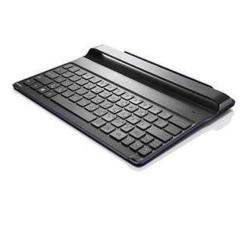

| Brand | Lenovo |
| Manufacturer | Lenovo |
LENOVO BLUETOOTH KEYBOARD COVER FOR TAB A10 -888631068305The Bluetooth Keyboard Cover can be used to control a tablet with combination keys in orange legend color (for details, see special function keys) . The keyboard and the tablet can be combined for easy carrying.Connecting to a tabletFirst time pairing While using this keyboard rst time, please set the power switch to "on" position.
The keyboard will enter into pairing status to pair with the tablet.Pairing with other tabletsWhile pairing with other tables, please set pairing switch to Bluetooth logo position for more than 1 second to enter into pairing mode for pairing with other tablets.Charging the Bluetooth Keyboard CoverIt takes approximately three hours to fully charge the Bluetooth Keyboard Cover for the rst time, or after the battery has been fully depleted.
To charge the Bluetooth Keyboard Cover, connect the USB end of the charging cable to the USB port on a computer or on the charger, and correctly attach the other end of the charging cable to the charging port. When the status indicator glows constant red, this indicates that the Bluetooth Keyboard Cover is charging.
Use the dedicated USB charging cable or else the Bluetooth Keyboard Cover might become damaged.
 Related Products
Loading similar products...
Stay informed about the best deals and price drops. Choose which notifications you'd like to receive from PriceCheck.


